
Download dbForge Schema Compare for Oracle – Oracle schema comparison, database schema synchronization, dbForge Schema Compare, schema comparison tool, Oracle database management
Overview
dbForge Schema Compare for Oracle is a specialized utility designed for database professionals, including developers and database administrators (DBAs), who require precise control over Oracle database schema changes. The application serves as a critical tool in the database lifecycle, enabling users to compare and synchronize schemas across different environments—such as development, testing, and production—without risking data integrity or application performance. Its primary purpose is to identify discrepancies between Oracle database structures and generate accurate, customizable synchronization scripts to align them.
This capability is essential in environments where frequent schema updates are required, such as agile development cycles or enterprise-level deployments. The tool supports real-world use cases like change tracking, version control integration, and pre-deployment validation. By highlighting differences in tables, views, procedures, and other schema objects, it reduces the risk of human error during manual updates.
The developer, Devart, is known for delivering robust database tools, though specific details about their broader product ecosystem were not provided. This app fills a niche in the productivity category by offering a focused, reliable solution for schema management within Oracle environments.
Key Features & Functionality
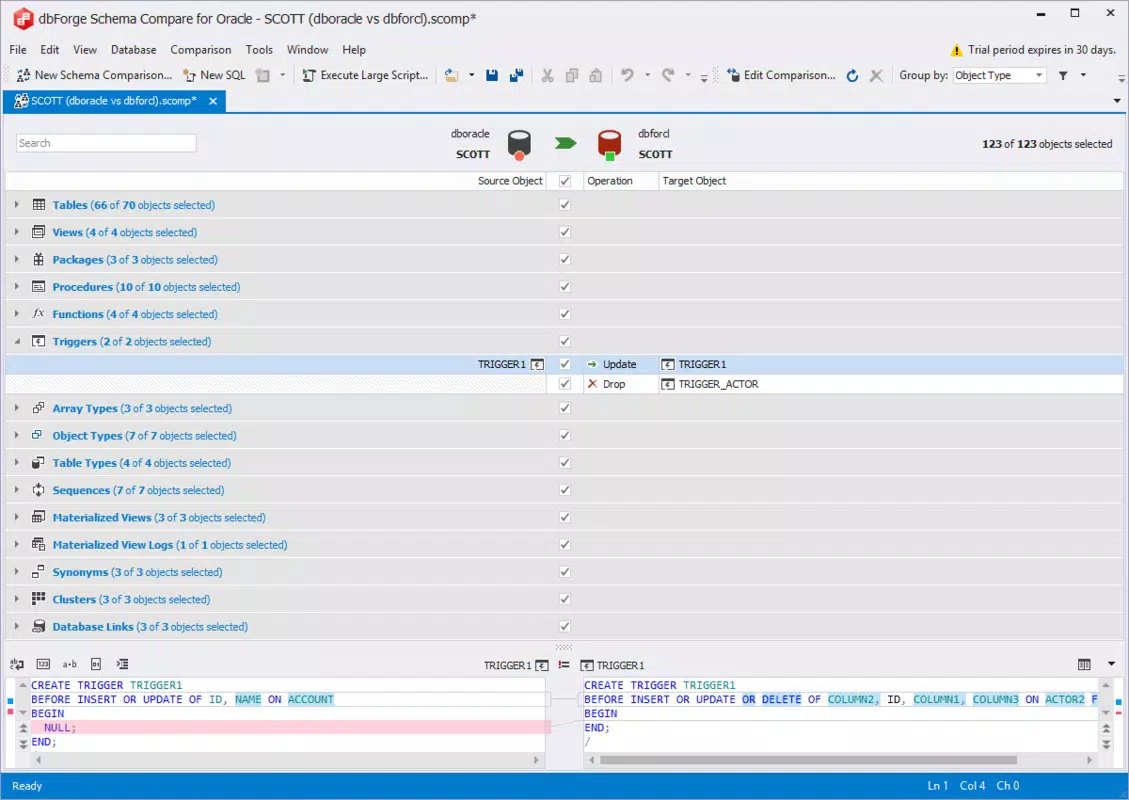
- Comprehensive Schema Comparison: The tool performs in-depth analysis of Oracle database schemas, identifying differences in tables, views, indexes, constraints, stored procedures, functions, and packages. This ensures no structural change goes unnoticed, providing a complete picture of schema divergence.
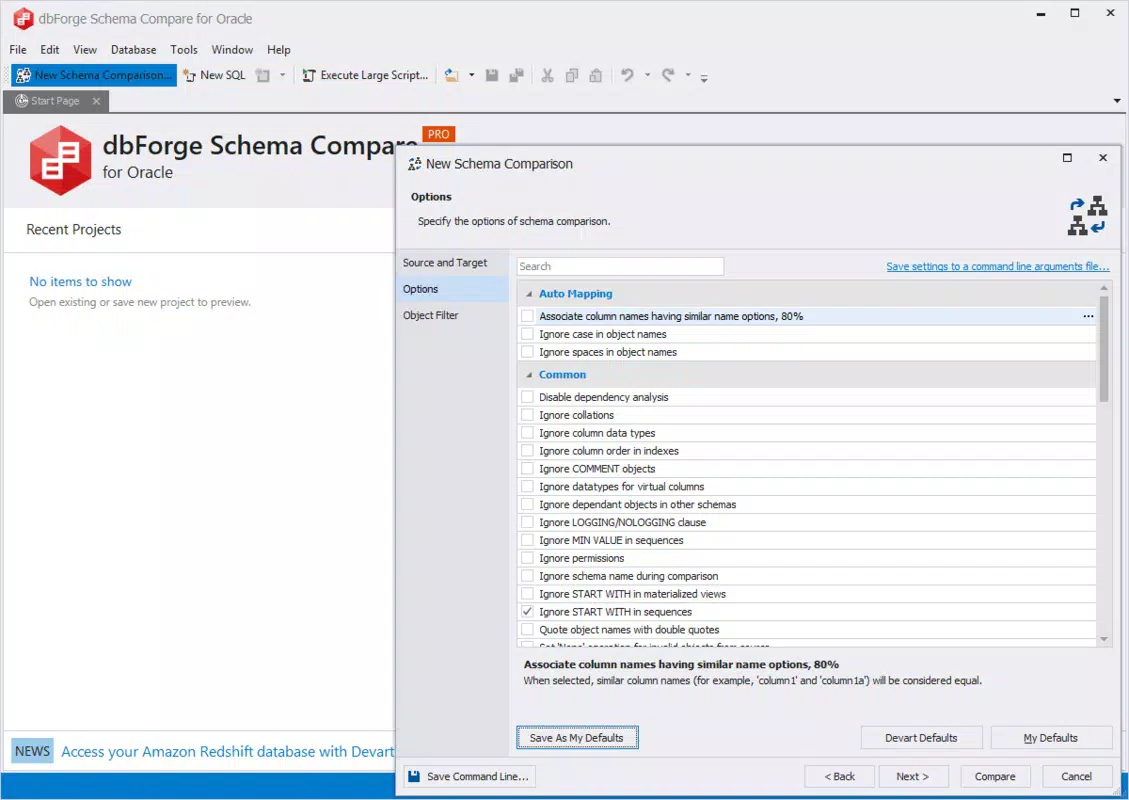
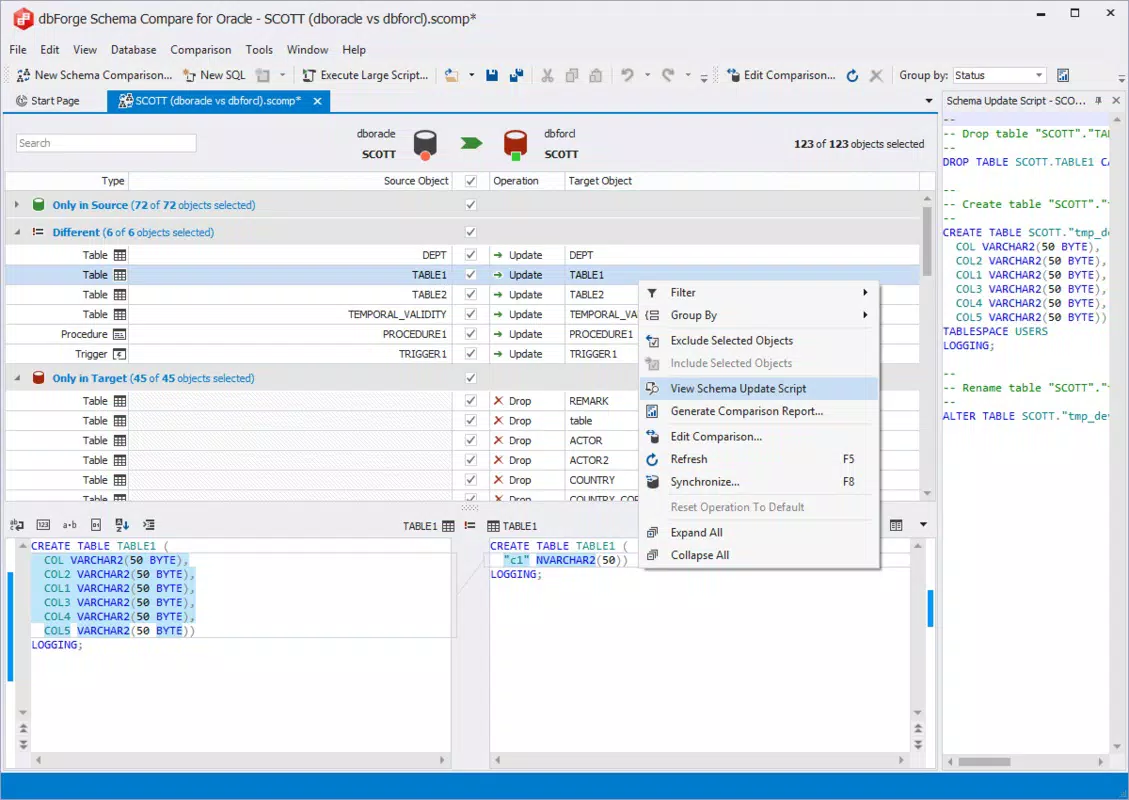
- Custom Synchronization Scripts: Users can generate tailored scripts that reflect specific deployment requirements, including options to include or exclude certain object types, apply filters, or modify script formatting for compatibility with target environments.
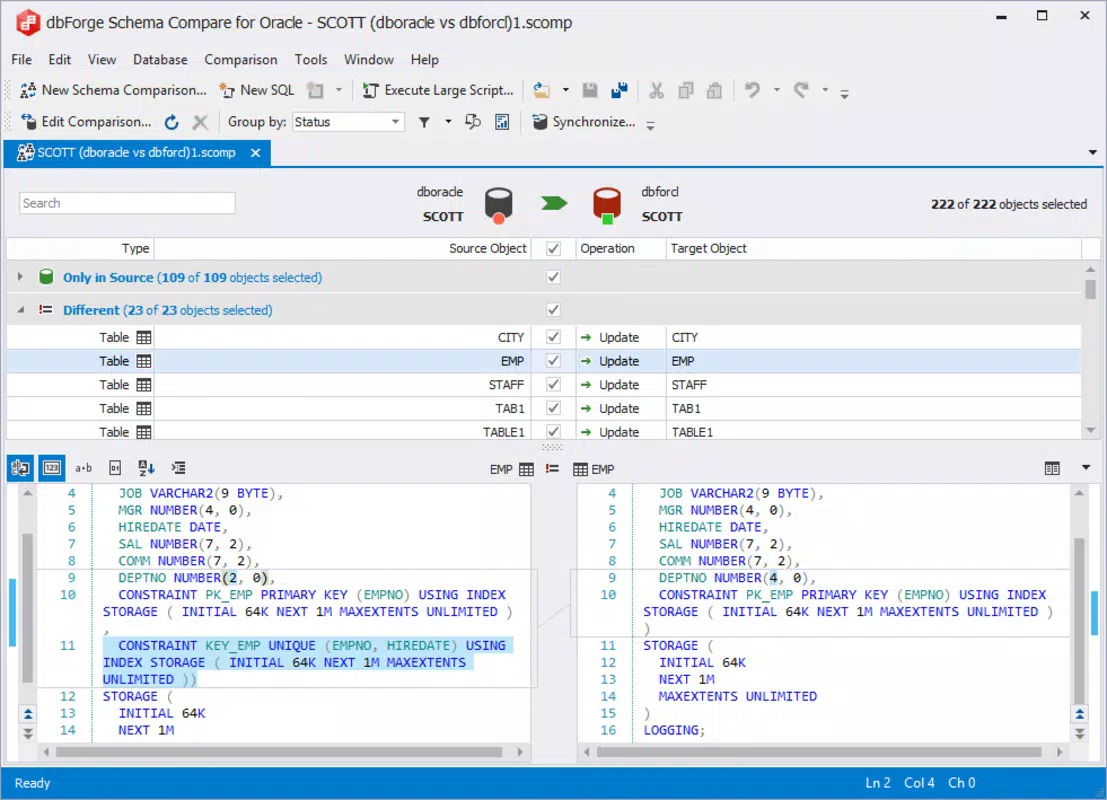
- User-Friendly Interface: Designed with usability in mind, the interface presents comparison results in a clear, organized manner with side-by-side views and color-coded indicators. This allows both experienced DBAs and less technical users to interpret results quickly and make informed decisions.
- Impact Analysis: Before executing any synchronization, the tool provides a detailed impact assessment, showing how changes may affect dependent objects, application logic, or existing data. This helps prevent unintended disruptions during schema updates.
- Seamless Integration: The application integrates with other dbForge tools and Oracle database instances, supporting a cohesive workflow for database management tasks such as migration, versioning, and deployment automation.
For example, a developer preparing to deploy a new feature can use the tool to compare their local development schema with the staging environment, identify missing indexes or altered procedures, and generate a script that safely applies the changes. Similarly, a DBA managing multiple environments can use the impact analysis to evaluate the consequences of a schema update before applying it to production.
Interface, UX & Performance
The user interface of dbForge Schema Compare for Oracle is structured around clarity and efficiency. It presents comparison results in a side-by-side view, allowing users to visually inspect differences in schema objects with ease. Navigation is straightforward, with a well-organized toolbar, context-sensitive menus, and a hierarchical object tree that enables quick access to specific database components.
The visual design employs a clean, professional layout with minimal distractions, supporting focused work. Although the developer did not list formal performance metrics, the application appears optimized for handling medium to large Oracle schemas, with responsive interactions and smooth rendering during comparisons. Stability is implied through the tool’s role in critical database workflows, where reliability is paramount.
Performance may vary depending on the size of the database and system resources, but no reports of crashes or freezes were mentioned. The application maintains consistent responsiveness across different device categories, though specific hardware requirements were not disclosed. Overall, the UX is tailored for professionals who prioritize accuracy and workflow efficiency over flashy design elements.
Platform Compatibility & Technical Requirements
dbForge Schema Compare for Oracle is available exclusively on the Windows platform. The current version is 4.5.14, with a file size of 215.5 MB. The developer did not specify minimum OS requirements, nor did they provide information on CPU, RAM, or disk space needs.
Compatibility with specific Windows versions (e.g., Windows 10, 11, or Server editions) was not disclosed. The application is designed to connect to Oracle databases, but details about supported Oracle versions or connection protocols were not included. Users are advised to ensure their system meets general requirements for running database management tools, particularly when dealing with large schema datasets.
The lack of detailed technical specifications means that users should verify system compatibility before installation, especially in enterprise environments with strict IT policies.
Pros and Cons
Pros
- Accurate and thorough schema comparison across Oracle databases
- Supports generation of customizable synchronization scripts
- Intuitive interface suitable for both novice and expert users
- Includes impact analysis to assess potential side effects of changes
- Seamless integration with other dbForge tools and Oracle environments
Cons
- Platform limited to Windows only
- Developer did not provide detailed system requirements
- Price point of $199.00 may be high for individual users or small teams
- No mobile or web-based version available
- Specific Oracle version compatibility was not disclosed
FAQ
Is dbForge Schema Compare for Oracle safe to install?
Yes, the application is developed by Devart, a reputable provider of database tools. As long as it is downloaded from official sources, it is considered secure and free from malicious components.
Can I use this tool on macOS or Linux?
No, the current version is only available for Windows. There is no official support for macOS or Linux systems.
How often are updates released?
Updates are typically released periodically to improve stability, add new features, and ensure compatibility with the latest Oracle database versions. The most recent version, 4.5.14, was released on 2025-07-30.
Does the app require an internet connection?
While the application can function offline after installation, certain features such as license validation or updates may require internet access.
Is there a free trial available?
The developer did not provide information about a trial version. However, many tools from Devart offer evaluation licenses; users are encouraged to check the official website for availability.
Final Thoughts
dbForge Schema Compare for Oracle stands out as a powerful, focused solution for professionals managing Oracle database schemas. Its ability to accurately compare, analyze, and synchronize database structures makes it indispensable in development and deployment workflows. The inclusion of impact analysis and customizable scripting enhances its reliability and adaptability across diverse environments.
While the Windows-only availability and high price point may limit accessibility for some users, its robust feature set justifies the investment for teams requiring precision in database management. Developers and DBAs working with Oracle databases will benefit most from this tool, especially in agile or regulated environments where schema integrity is critical. For those seeking a secure, efficient, and professional-grade schema comparison utility, dbForge Schema Compare for Oracle delivers significant value.
Download dbForge Schema Compare for Oracle now


